Click the link to get to the Beacon Members Portal
Renewing Members only
If you have registered your email address for the portal, then enter your email address and password. If you have NOT yet registered, click on "Sign in with membership details" and then enter the requested information to enter. Please note all the fields must match exactly the text in the Beacon database. So remember to put capitals on your Forename & Surname. Also be aware that some text input via touch screen (e.g. iPad, iPhone, Android) can add space characters after your entry e.g. 'Forename ' rather than the 'Forename' intended. Postcodes similarly must be uppercase and have the space in the right place.
Please note that when 2 members share an email address and use the same password, they will be asked to identify which member is signing in by selecting from a drop-down list
Select 'Renew your Membership' from the menu.
Making a Payment (New and Renewing Members)
Pay for your membership using a debit or credit card. u3a use PayPal to collect membership fees.
- If you have a PayPal account, log in as normal and process your payment.
OR
- If you don't have a PayPal account, you do NOT need to create one. You can pay as a PayPal guest.
The steps 1-4 below illustrate the process of paying with PayPal as a guest.
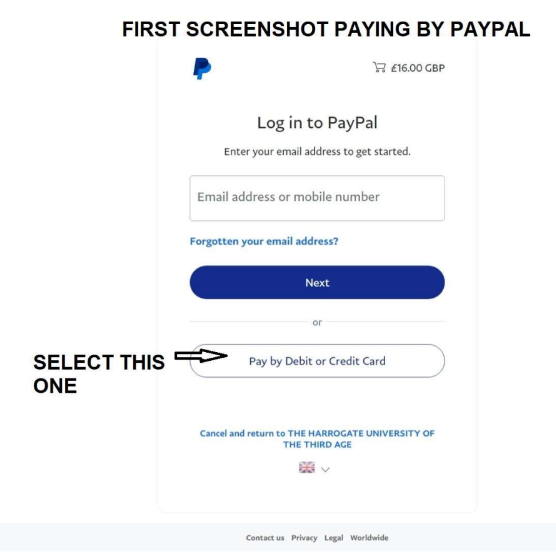
Step 1
If you do not have a PayPal account, you do not have to create one. To pay as a guest click on Pay by Debit or Credit Card, as shown in the screenshot.
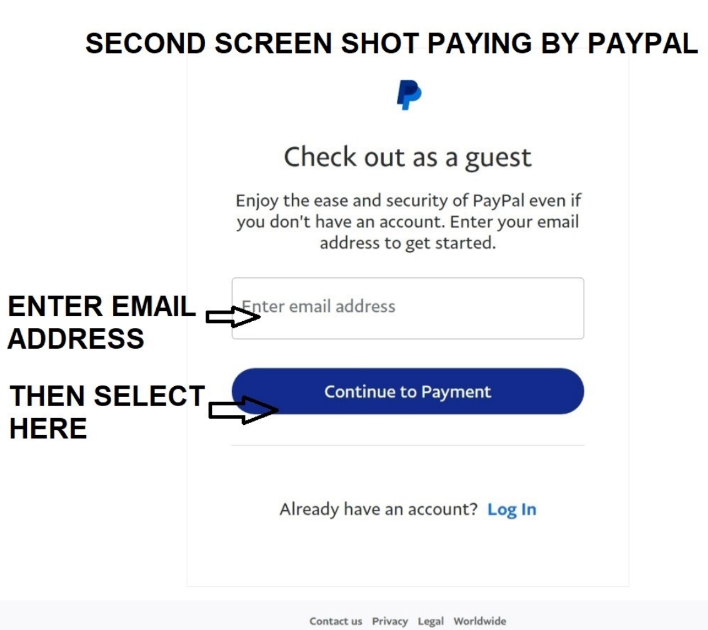
Step 2
Enter your email address and then click on Continue to Payment. An email address is required by PayPal, and will be used to send you a confirmation.
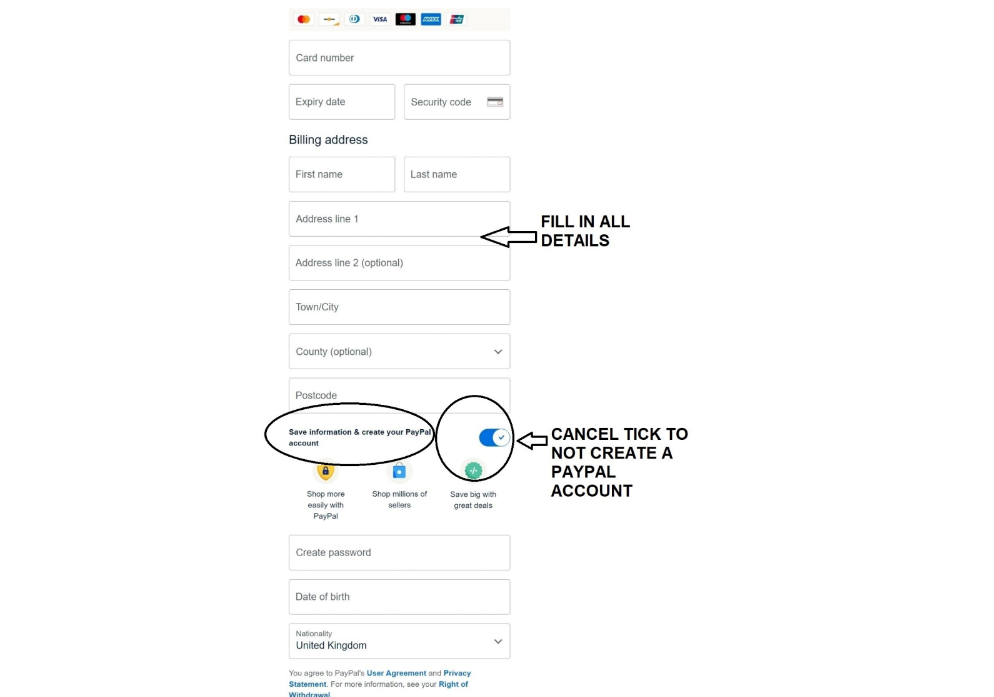
Step 3
Under the Billing address fields, there is a tick field that is set to create an account by default. Click on this tick to deselect it so an account is not created.
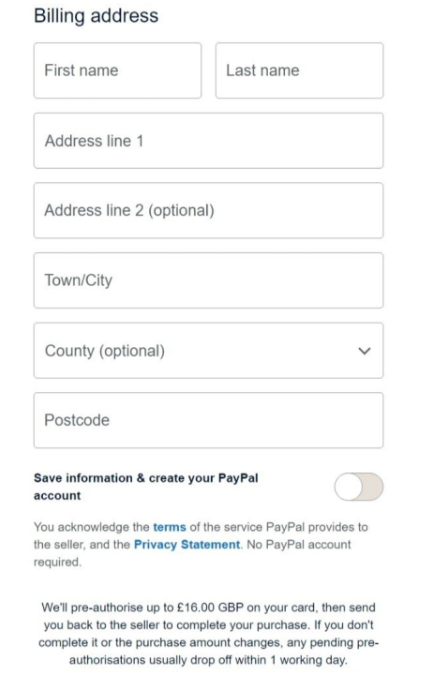
Step 4
Here you can see the step to create an account is greyed out. You can now continue the payment process as a guest.